
TECHNICAL INTERVIEWS • CAREER GUIDANCE
How to Answer Troubleshooting Questions in IT Interviews
A practical framework for explaining your reasoning, demonstrating technical knowledge, and communicating clearly under pressure.
By Isaac Danso-Gyan (Coach Ike) · IT Career Coach • Network & Security Consultant • Author
Why troubleshooting questions matter
Technical interviews are not only tests of memorized commands. Employers want to understand how you approach uncertainty, isolate a fault, validate evidence, communicate with others, and restore service safely.
A strong answer shows your process, not just a lucky guess. Even when you do not know the exact solution, a structured approach can demonstrate readiness for real-world IT work.
1. Start by clarifying the problem
Before proposing a fix, establish what is failing, who is affected, and when it began. Ask whether the issue is intermittent or constant, whether any changes occurred, and whether other users or devices are affected.
Example: “Is this affecting one workstation or the entire office? Can the user reach internal applications but not the internet? Did the problem start after a network change?”
These questions define the scope and prevent you from troubleshooting the wrong layer.
2. State your troubleshooting framework
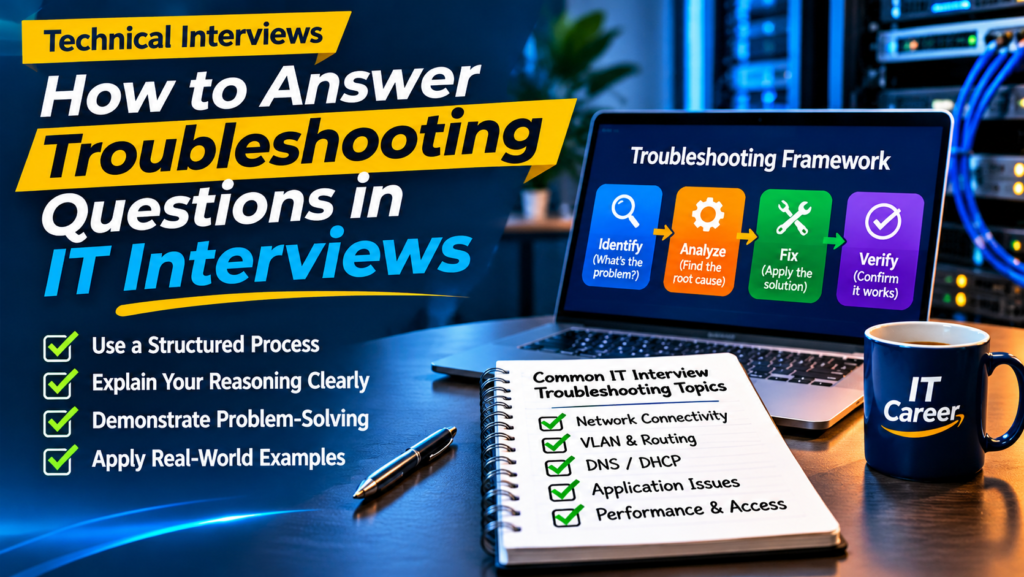
A simple interview-friendly structure is Clarify → Scope → Check basics → Isolate → Test → Fix → Verify → Document.
Clarify symptoms and impact. Scope the affected users, devices, sites, and services. Check physical connectivity and basic configuration. Isolate the likely layer or component. Test one hypothesis at a time. Apply an authorized fix. Verify the user’s service and document the result.
For production systems, mention change control, escalation, and rollback when relevant.
3. Work from the fundamentals upward
For a connectivity issue, check power, link lights, cables, wireless association, and interface status before assuming a routing or firewall failure.
Then verify IP address, subnet mask, default gateway, DNS settings, VLAN membership, and routing as appropriate. Tools may include ipconfig /all, ping, tracert/traceroute, nslookup/dig, and Cisco show commands.
Explain what each test proves. A successful ping to a gateway does not automatically prove DNS or application access is working.
4. Explain the evidence behind each decision
Interviewers learn more when you explain why you chose a command and what its result means.
Weak: “I would ping it, restart the switch, and see what happens.”
Stronger: “I would verify the endpoint’s IP configuration and test the default gateway. If the gateway is unreachable, I would check the switchport status and VLAN assignment before making any changes.”
5. Scenario: A user cannot access the internet
Clarify: Is it one user or many? Are internal resources available?
Check: Confirm link or Wi-Fi connection, IP address, gateway, and DNS configuration.
Isolate: Test the gateway, then a known reachable IP address, then a hostname. If IP connectivity works but name resolution fails, investigate DNS. If the gateway fails, inspect local connectivity, VLAN, and interface status.
Verify: Confirm the affected application or website works, not just that one ping succeeds.
6. Scenario: Devices in two VLANs cannot communicate
Confirm the source and destination VLANs and IP subnets. Check access-port VLAN assignments and trunk allowances where applicable.
Verify that inter-VLAN routing exists on the Layer 3 switch or router, including gateway interfaces and routing configuration. Inspect ACLs or firewall policies that may intentionally restrict traffic.
Use targeted tests and logs to identify where packets stop. Avoid changing security rules without authorization.
7. Scenario: An application is slow
Determine whether the issue is limited to one user, one site, or the entire application. Ask whether the slowdown occurs at particular times or after recent changes.
Review endpoint utilization, latency, packet loss, interface errors, bandwidth use, DNS resolution, and application/server health as appropriate.
Explain how you would compare a known-good baseline with current observations before identifying the root cause.
8. Communicate clearly while troubleshooting
Use plain language and narrate the sequence: “First I would confirm… Next I would test… If that result shows…, I would investigate…”
Separate facts from assumptions. If a test is inconclusive, say what you would check next. Describe user impact and escalation when the issue exceeds your permissions or expertise.
Avoid inventing experience. It is acceptable to say a scenario is based on a lab or training project, provided you identify it accurately.
9. What to do when you do not know the answer
Do not guess a command and present it as certain. State what you know, describe a safe first diagnostic step, and explain how you would consult documentation or escalate.
Example: “I have not configured that exact platform in production. I would review the interface and routing state, check the vendor documentation, and validate the proposed change in accordance with the team’s change process.”
10. Use STAR for experience-based questions
For “Tell me about a time you solved a difficult issue,” use Situation, Task, Action, Result.
Situation: Describe the environment and problem. Task: Explain your responsibility. Action: Walk through the diagnostic steps you personally performed. Result: State the verified outcome and what you learned.
If the example comes from a lab, say so clearly. A well-documented lab can still demonstrate disciplined troubleshooting.
Practice questions for your next interview
1. A laptop has an IP address but cannot reach the default gateway. What do you check first?
2. Users can reach an application by IP address but not by hostname. What is your next test?
3. Two hosts in different VLANs cannot communicate. How do you isolate the cause?
4. A switch interface is up but traffic is intermittent. What evidence would you collect?
5. A firewall policy was recently changed and an application stopped working. How would you investigate safely?
For each question, practice answering aloud in 60–90 seconds using the framework above.
A seven-day technical interview practice plan
Day 1: Practice problem clarification and scoping. Day 2: Review IP addressing, gateways, and DNS. Day 3: Troubleshoot switchports, VLANs, and trunks.
Day 4: Practice routing and access-control scenarios. Day 5: Document one complete lab troubleshooting case. Day 6: Record yourself answering five interview questions. Day 7: Run a mock interview and refine your explanations.
Common mistakes to avoid
Jumping to a fix before identifying the scope; listing commands without interpreting their output; overlooking basic physical or configuration checks; claiming lab work was paid production experience; and failing to verify the outcome.
The strongest candidates combine technical reasoning, risk awareness, documentation, and clear communication.
Frequently asked questions
Do I need to memorize every command? No. Learn core tools and be able to explain why you use them. Platform-specific commands can be checked against documentation when appropriate.
Can I use home-lab examples? Yes. Explain the topology, the fault you introduced or observed, your troubleshooting steps, and the verified result. Label the experience as a lab.
What if the interviewer challenges my answer? Stay calm, acknowledge new evidence, and revise your hypothesis. Good troubleshooting is iterative.
Ready to Strengthen Your Technical Interview Skills?
At Network Professional Training Center (NPTC), practical labs, real-world scenarios, mentorship, and career preparation help learners build the confidence to explain what they know.
About the Author
Isaac Danso-Gyan (Coach Ike) is an IT Career Coach, Network & Security Consultant, author, and founder of Network Professional Training Center (NPTC). He helps aspiring IT professionals and career changers develop practical skills and prepare for technical careers.