
AI & TECHNOLOGY
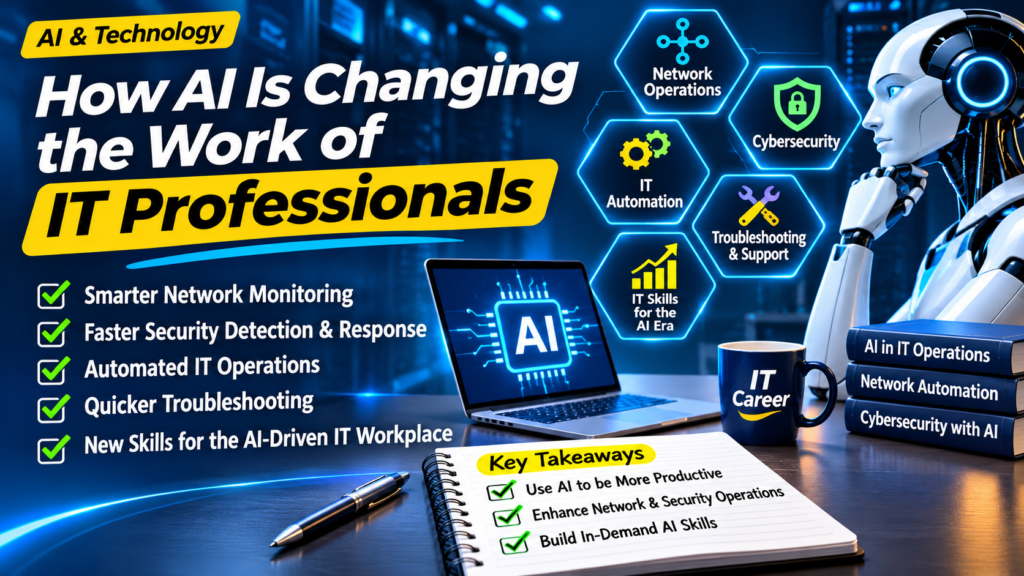
How AI Is Changing the Work of IT Professionals
A practical guide to AI-assisted IT operations, network monitoring, security workflows, automation, and the skills professionals need to stay relevant.
By Isaac Danso-Gyan | Coach Ike — IT Career Coach, Network & Security Consultant, Author
Introduction: AI Is Becoming Part of Everyday IT Work
Artificial intelligence is changing how IT teams investigate incidents, understand network behavior, manage repetitive work, and support users. It does not eliminate the need for networking, systems, or cybersecurity fundamentals. Instead, it changes how professionals apply those skills.
For beginners and experienced engineers alike, the opportunity is to combine technical judgment with responsible use of AI tools. The goal is not to let an AI system make every decision; it is to become faster at gathering evidence, identifying patterns, and verifying outcomes.
1. What AI Means in IT Operations
AI in IT operations refers to using machine learning, language models, and related techniques to analyze operational information and assist with tasks such as alert triage, incident summaries, log investigation, and capacity planning.
AIOps tools can correlate events from multiple monitoring sources and help surface likely causes. Their recommendations are hypotheses that engineers must validate against the environment and change history.
2. AI-Assisted Network Monitoring
Traditional monitoring reports device availability, interface utilization, errors, latency, and other metrics. AI-assisted monitoring can help identify unusual trends and connect related alerts, reducing the time spent searching through dashboards.
Example: a branch office reports intermittent application slowness. The monitoring platform highlights rising interface errors and packet loss after a recent change. The network engineer still checks physical interfaces, routing, device logs, and application dependencies before deciding what to fix.
Important: unusual traffic is not automatically malicious, and an AI-generated root-cause suggestion is not proof.
3. AI in Cybersecurity Workflows
Security analysts use AI-assisted systems to summarize alerts, enrich indicators, identify patterns in authentication events, and draft incident notes. These capabilities can improve triage speed when paired with sound detection rules and analyst review.
For example, an analyst investigating suspicious sign-ins can compare account activity, source locations, device posture, multifactor authentication events, and known changes before escalating.
Never paste credentials, private client records, sensitive logs, or confidential network configurations into unapproved public AI tools. Follow employer policies and data-handling requirements.
4. Automation vs. AI: Know the Difference
Automation follows defined steps: back up a configuration, collect show-command output, or create a ticket when a threshold is exceeded. AI can help interpret text, classify events, generate drafts, or propose next actions.
A practical workflow might use automation to collect interface counters, AI to summarize the findings, and an engineer to review the evidence before approving a change. High-impact configuration changes should require testing, authorization, and rollback planning.
5. How AI Can Help With Troubleshooting
AI can assist with interpreting error messages, explaining command output, proposing a troubleshooting checklist, and organizing incident timelines. It is most useful when the engineer provides accurate context and checks the results.
Example prompt: “A user in VLAN 20 cannot reach a server in VLAN 40. List the checks in a logical order, including VLAN membership, trunking, gateway reachability, routing, ACLs, and host firewalls. Do not assume the cause.”
Validate every suggested command against the device platform and software version. Do not execute unfamiliar commands on production systems without understanding their effect.
6. AI Tools IT Professionals May Encounter
Common categories include AI-assisted monitoring platforms, security analytics and SIEM tools, service-desk assistants, documentation copilots, code assistants, and cloud observability tools.
The best tool depends on your environment, security policies, integrations, budget, and team capabilities. Focus first on understanding the problem and measuring whether a tool improves accuracy, response time, or consistency.
7. Skills That Become More Valuable in an AI-Enabled IT Workplace
Networking fundamentals: TCP/IP, DNS, DHCP, VLANs, routing, switching, wireless, VPNs, and firewalls.
Troubleshooting: hypothesis-driven diagnosis, packet analysis, log interpretation, and root-cause documentation.
Automation and scripting: Python fundamentals, APIs, Git, structured data, and repeatable workflows.
Security and governance: least privilege, data privacy, access controls, change management, and secure AI usage.
Communication: explaining incidents, writing clear tickets, collaborating with teams, and presenting evidence-based recommendations.
8. A Practical AI-Assisted Network Troubleshooting Lab
Build a small lab with two VLANs, a router or Layer 3 switch, a DHCP service, and a test client. Record the baseline configuration and expected connectivity.
Introduce one fault at a time: incorrect VLAN assignment, missing route, blocked ACL entry, or wrong default gateway. Collect show-command output and document the symptoms.
Ask an approved AI tool to propose possible causes from sanitized evidence. Compare its suggestions against your own troubleshooting plan. Verify the actual fault using commands and connectivity tests, then document the fix and lessons learned.
Lab success means you can explain the root cause and prove the outcome—not merely copy a suggested command.
9. A Responsible Workflow for Using AI at Work
First, define the operational problem and identify the information required. Second, remove or mask confidential details before using any permitted AI system. Third, ask for options, assumptions, and verification steps rather than a single definitive answer.
Fourth, cross-check the response with vendor documentation, monitoring data, and team procedures. Fifth, test changes in a lab or approved maintenance process. Finally, record the decision, evidence, result, and rollback plan when applicable.
10. Common Mistakes to Avoid
Treating AI-generated output as automatically correct; pasting confidential configurations into public tools; skipping foundational networking skills; allowing unreviewed changes in production; and using automation without monitoring or rollback plans.
Another mistake is measuring productivity only by how quickly a response is generated. The real measure is whether the solution is correct, secure, repeatable, and understandable to the team.
11. Your 30-Day Learning Plan
Week 1 — Strengthen your fundamentals: review TCP/IP, VLANs, routing, DNS, DHCP, and common troubleshooting commands.
Week 2 — Practice evidence collection: capture interface status, routing tables, event logs, and packet traces in a safe lab.
Week 3 — Explore approved AI assistance: use sanitized lab data to draft troubleshooting plans, compare outputs, and identify errors.
Week 4 — Complete a portfolio project: document an incident scenario, your investigation, AI-assisted suggestions, verified root cause, resolution, and lessons learned.
12. Frequently Asked Questions
Will AI replace network engineers? AI can automate or assist with parts of the work, but organizations still need professionals to design systems, evaluate risk, troubleshoot complex failures, and take responsibility for changes.
Do beginners need to learn AI before networking? No. Start with networking and systems fundamentals, then use AI tools to support—not substitute for—technical understanding.
Can I put AI skills on my résumé? Yes, when you can describe authentic projects, tools, safeguards, and measurable outcomes. Avoid claiming production experience for work completed only in a lab.
What should I learn next? Choose a foundation such as network engineering, systems administration, or cybersecurity, then add scripting, APIs, monitoring, and responsible AI workflows.
Final Takeaway: Combine Human Judgment With Better Tools
AI can help IT professionals investigate faster, organize information, and reduce repetitive tasks. Strong technical foundations, critical thinking, communication, and security discipline remain essential.
The professionals who benefit most will be those who understand the technology, verify AI-generated suggestions, and use tools responsibly to deliver reliable outcomes.
Ready to Build Practical IT Skills?
At Network Professional Training Center (NPTC), learners develop network and security skills through hands-on labs, mentorship, real-world projects, and career preparation. Explore training options or book a free conversation about your goals.
About the Author
Isaac Danso-Gyan (Coach Ike) is an IT Career Coach, Network & Security Consultant, author, and founder of Network Professional Training Center (NPTC). His work focuses on helping aspiring and transitioning IT professionals turn technical knowledge into practical skills and career opportunities.